
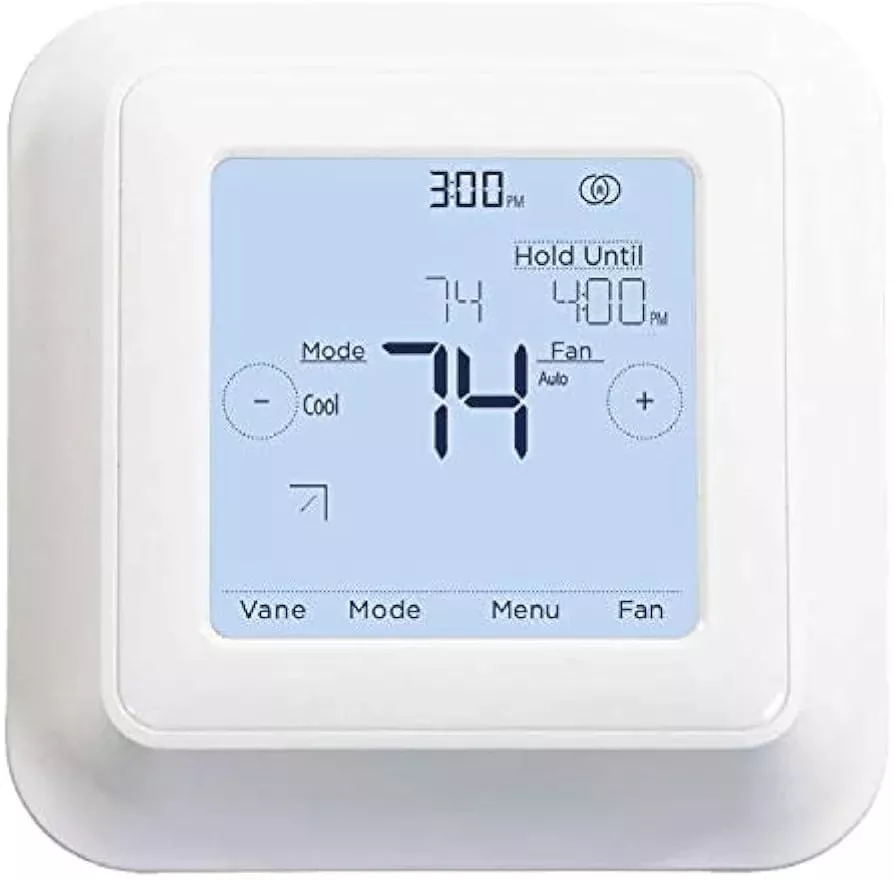
The MHK2 kumo touch™ is Mitsubishi Electric’s wireless wall-mounted remote controller for mini split and multi-zone indoor units. It uses RedLINK™ 3.0 wireless technology to communicate with a receiver mounted at the indoor unit — no low-voltage thermostat wire run to the wall required. The backlit touchscreen provides full control of temperature, mode, fan speed, vane direction, and scheduling. Two AA batteries power the controller; no C-wire or 24V power supply needed.
Note: The MHK2 uses RedLINK 3.0 and is not compatible with MHK1, MOS1, MCCH1, or other RedLINK 2.0 wireless devices. If you are replacing an MHK1, verify your indoor unit is on the compatibility list below before ordering.
kumo cloud® Integration: The MHK2 can operate on the same indoor unit as the PAC-USWHS002-WF-2 Wireless Interface 2 (sold separately). Both devices connect to the indoor unit’s CN105 port — the Wireless Interface 2 provides a second CN105 connector for this purpose. A Wireless Interface 2 is required if you want to control the unit remotely via the kumo cloud app in addition to using the MHK2 wall controller.
Kit Contents
| MRCH2 | Wireless RedLINK 3.0 remote controller (wall-mounted thermostat) |
| MIFH2 | Wireless RedLINK 3.0 receiver (mounts at or near indoor unit) |
| MRC2 | Connection cable — connects MIFH2 receiver to CN105 on indoor unit control board | 39-23/64″ (1 m) |
| Batteries | 2 × AA alkaline (included) |
Compatible Indoor Units
| All CITY MULTI® | |
| All P-Series | |
| All M-Series |
If you are unsure whether your indoor unit is compatible, contact us with your model number before ordering.
MRCH2 Remote Controller Specifications
| Display | Backlit touchscreen | 12 or 24-hour clock |
| Temperature Units | Fahrenheit and Celsius |
| User Controls | On/Off | Cool / Heat / Dry / Fan modes | Fan speed | Vane direction |
| Set Temperature Range | Cooling: 50°–99°F | Heating: 40°–90°F | Auto: 50°–90°F (dual setpoints) |
| Scheduling | No schedule | MO–SU (daily) | MO–FR / SA / SU (5-1-1) | MO–FR / SA–SU (5-2) | Each day individual | kumo cloud as schedule holder |
| Hold Function | Temporary or permanent schedule override |
| Lockout Controls | On | Off | Mode | Fan speed | Setpoint | Vane direction |
| Temperature Sensing Source | MHK2 | Indoor unit | RedLINK Wireless IAS (Honeywell RCHTSENSOR) | Average of MHK2 and IAS |
| Humidity Sensing Source | MHK2 | RedLINK Wireless IAS | Average of MHK2 and IAS |
| Additional Features | Filter sign display | Error code diagnostics | Auto mode deadband adjustment | Temperature offset adjustment | Humidity offset adjustment | Indoor temp/humidity hide option | Factory reset |
| Wireless | RedLINK™ 3.0 |
| Power | 2 × AA alkaline batteries (included) |
| Dimensions | 4-5/64″ × 4-5/64″ × 1-1/16″ (104 × 104 × 27 mm) |
| Operating Temperature | 32°–120°F (0°–48.9°C) |
| Operating Humidity | 5%–90% RH |
MIFH2 Wireless Receiver Specifications
| Mounting | Mounts next to or near indoor unit |
| Connection | MRC2 cable to CN105 connector on indoor unit control board |
| Wireless | RedLINK™ 3.0 |
| Dimensions | 3-3/32″ H × 1-3/4″ W × 39/64″ D (74.8 × 44.4 × 15.4 mm) |
| Operating Temperature | -40°–165°F (-40°–73.9°C) |
| Operating Humidity | 5%–95% RH |
Optional Accessories (Sold Separately)
| PAC-USWHS002-WF-2 | Wireless Interface 2 — required for kumo cloud app remote access |
| PAC-WHS01IE-E | CN105 IT Extender |
| Honeywell RCHTSENSOR | RedLINK 3.0 Wireless Indoor Air Sensor (P/N: C7189R2002) — not sold by Mitsubishi Electric |
Use only genuine Mitsubishi Electric OEM accessories with the MHK2. Refer to the MHK2 installation manual for wiring diagrams and CN105 connection instructions.
Download the Install Manual Here
Download the Operation Manual Here

